Detailed Walkthrough
Step 0: Do I really need this to run in a new thread?
Before continuing, ask yourself if the code you've written will actually benefit from being ran outside of the main program:
- Is your code for a new subsystem that hasn't already been implemented?
- Will your code actually benefit from running in a separate thread; is the code parallelizable or does it wait/depend on other external code running first?
- What kind of system or program resources does my code access?
All these question are extremely valid when you are writing code for a new system that you think could benefit from multithreading. Sharing memory between threads is not generally something that you want to do, so plan carefully when designing your class. Have the main class do all of the resource locking by creating getters and/or setters for each piece of data that you want to be accessible from outside of your threaded code. Since the AutonomyThread interface was designed so that only a single special method is ran in a different thread, resource handling should be relative simple if you are familiar with the different methods of mutexes and locking in C++. It will also be useful to know how to correctly use atomics in C++, as these let you freely share certain resources between threads without needed to manually lock and unlock them.
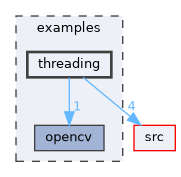
NOTE: Look in the examples/threading directory to see example implementations of what this guide discusses.
Step 1: Create the class and inherit the interface.
Create a new file in the threads directory and name it appropriately. For example, if there is a main class responsible for managing the states of the rover, create a file named StateMachineThread.cpp. Similarly, if there is a main class handling vision processing, name the file VisionThread.cpp. Then, create a class with the same name as the file and inherit the AutonomyThread interface and define the template type like shown below:
#include "../../src/interfaces/AutonomyThread.hpp"
/******************************************************************************
* @brief This class inherits the AutonomyThread interface so that it can inherit
* and implement its base methods. This allows the programmer to easily thread code
* put in a specific function and it also gives them the ability to create a thread pool
* of subroutines and parallelize loops.
*
*
* @author ClayJay3 (claytonraycowen@gmail.com)
* @date 2023-07-27
******************************************************************************/
class VisionThread : public AutonomyThread<void> // <-- The '<void>' part lets you define what can be returned from the thread pool.
Step 2: Implement the inherited methods.
The AutonomyThread base class contains some virtual and pure virtual methods that your new child class should inherit. The parent class (AutonomyThread) does some stuff in the background that will allow you to easily run the code put in these functions parallel to the main thread.
The two methods that you need to implement are called ThreadedContinuousCode() and PooledLinearCode().
- ThreadedContinuousCode is where you will put your main code for the thread, this is the code that you want to loop forever until either you or the program stops it. The code that you put in this method should not block the rest of the code, do not put a while(true) loop inside this method. The parent class that you inherited will handle the looping and stop signaling internally, as shown here.
- PooledLinearCode is where you can optionally put any highly parallelizable sub-routine code that you want to run in an arbitrarily large pool of threads. For example, if you have four images from four different cameras and they all need the AR tag detection algorithms ran, you can start a thread pool and process all four in roughly the same time it would normally take one to process. (Assuming your AR tag detector can be ran in parallel without blocking). This code can only be called from within your class, your code inside of the ThreadedContinuousCode method should handle the starting, stopping, and results fetching of your thread pool.
Take a look at this example and this example for how to implement the inherited functions.
To stop all threads, call the RequestStop() method from inside or outside of your class. You CAN call the RequestStop() method from inside of your threaded code.
Step 3: Ensure that you are correctly handling your resources.
Multi-threaded programming brings a new dimension of complexity to software development. It enables multiple threads to run concurrently, improving performance and responsiveness. However, with this power comes the responsibility of managing shared resources effectively. Mishandling resources in a multi-threaded environment can lead to subtle bugs, performance issues, and even security vulnerabilities. This guide emphasizes the significance of proper resource handling and provides best practices to ensure thread-safe, efficient, and reliable multi-threaded applications. To aid your decision on what mutex or lock you should use, check out the Mutexes and Locks section below. For a list of atomic, check out the Atomic section below.
- Understanding Shared Resources Shared resources are data structures, objects, or sections of code that are accessed by multiple threads concurrently. Examples include data containers, global variables, databases, and files. When multiple threads access or modify shared resources without proper synchronization, race conditions and data inconsistencies can occur.
- Concurrency Challenges (don't do this)
- Race Conditions: Multiple threads attempting to access or modify a shared resource simultaneously can lead to unexpected and erroneous behavior.
- Deadlocks: Threads can get stuck in a state where each thread is waiting for a resource that another thread holds, causing a deadlock.
- Data Inconsistencies: Concurrent modifications can lead to data corruption or unexpected behavior if not synchronized correctly.
- Performance Degradation: Poorly managed synchronization can introduce unnecessary overhead and reduce the benefits of parallelism.
- Ensuring Proper Resource Handling (do this instead)
- Use Synchronization Mechanisms: Employ synchronization mechanisms like mutexes, semaphores, and condition variables to ensure exclusive access to shared resources. Choose the appropriate synchronization mechanism based on your resource and access patterns.
- Minimize Lock Scope: Lock resources only when necessary and release them as soon as possible to reduce contention and improve performance. Avoid holding locks during time-consuming operations.
- Avoid Nested Locks: Nested locks can lead to deadlocks if not managed carefully. Whenever possible, use higher-level abstractions like std::lock_guard to manage locks automatically.
- Use Read-Write Locks: For resources that are read more frequently than they are written, use read-write locks (std::shared_mutex in C++20) to allow concurrent reads and exclusive writes.
- Use Atomic Operations: Atomic operations provide a way to modify variables without the risk of race conditions. Use atomic types and functions to perform simple operations safely.
- Thread Safety Design: Design classes and data structures with thread safety in mind. Use encapsulation to hide implementation details and provide controlled access to resources.
- Avoid Global State: Minimize the use of global variables and shared state. Instead, pass required data as arguments to threads or use thread-local storage when appropriate.
- Test Rigorously: Thoroughly test your multi-threaded code with various scenarios, stressing resource access, contention, and boundary cases.
- Debugging and Profiling: Use debugging tools and profilers to identify and rectify concurrency issues.
- Benefits of Proper Resource Handling
- Reliability: Proper resource handling leads to consistent behavior and predictable outcomes in multi-threaded applications.
- Performance: Effective synchronization ensures optimal utilization of resources and prevents unnecessary contention, leading to better performance.
- Scalability: Well-managed resources allow applications to scale efficiently across multiple cores or processors.
- Maintainability: Code that follows proper resource handling practices is easier to understand, debug, and maintain.
- Security: Proper synchronization prevents unintended access to sensitive data and reduces the risk of data corruption or unauthorized modifications.
Mutexes and Locks
When working with different mutex types in C++20, it's important to understand how locks can be acquired to ensure proper synchronization and avoid potential issues like deadlocks. Always remember to integrate the thread-related classes with other components of the project to ensure proper coordination and synchronization between threads.
Here's a detailed explanation of the types of locks that can be acquired for each mutex type:
1. std::mutex
- Lock Type: Exclusive Lock
- Acquisition: A thread can acquire an exclusive lock on a std::mutex using the std::unique_lock class or by directly calling the lock() member function on the mutex.
- Use Case: Use an exclusive lock when you need to ensure that only one thread can access a critical section of code or a shared resource at a time.
2. std::timed_mutex
- Lock Type: Exclusive Lock with Timeout
- Acquisition: A thread can attempt to acquire an exclusive lock on a std::timed_mutex using the std::unique_lock class and providing a timeout value when calling the try_lock_for() or try_lock_until() member functions.
- Use Case: Use an exclusive lock with timeout when you want to prevent indefinite waiting for a lock and need to decide on an alternative action if the lock cannot be acquired within a specified time.
3. std::recursive_mutex
- Lock Type: Exclusive Lock (Recursive)
- Acquisition: Similar to a std::mutex, a thread can acquire an exclusive lock on a std::recursive_mutex using the std::unique_lock class or by directly calling the lock() member function on the mutex. The same thread can acquire the lock multiple times without causing a deadlock.
- Use Case: Use a recursive lock when you have a nested structure of function calls that require the same mutex protection, and you want to avoid deadlocks caused by recursive locking.
4. std::recursive_timed_mutex
- Lock Type: Exclusive Lock (Recursive) with Timeout
- Acquisition: Similar to a std::timed_mutex, a thread can attempt to acquire an exclusive lock on a std::recursive_timed_mutex using the std::unique_lock class and specifying a timeout value with try_lock_for() or try_lock_until().
- Use Case: Use a recursive lock with timeout when you need both the ability to recursively lock and a mechanism to avoid indefinite waiting for the lock.
5. std::shared_mutex
- Lock Type: Shared Lock (Read Lock), Exclusive Lock (Write Lock)
- Acquisition: A thread can acquire a shared lock (read lock) on a std::shared_mutex using the std::shared_lock class. To acquire an exclusive lock (write lock), use the std::unique_lock class or call the lock() member function directly.
- Use Case: Use a shared lock when you have a resource that is frequently read by multiple threads. Use an exclusive lock when you need to modify the resource to ensure exclusive access.
6. std::shared_timed_mutex
- Lock Type: Shared Lock (Read Lock), Exclusive Lock (Write Lock) with Timeout
- Acquisition: Similar to std::shared_mutex, a thread can acquire shared and exclusive locks using std::shared_lock and std::unique_lock, respectively. Additionally, you can use the try_lock_shared_for() and try_lock_shared_until() functions to attempt to acquire a shared lock with a timeout.
- Use Case: Use a shared timed lock when you need to read a resource concurrently but want to avoid indefinite waiting. Use an exclusive timed lock when you need to write with a timeout.
Always choose the appropriate type of lock based on your application's requirements and concurrency patterns to ensure efficient and safe synchronization of shared resources.
Atomics
In C++20, the Standard Library provides a variety of atomic types and operations for concurrent programming. Atomic types ensure that certain operations on shared variables are performed atomically, without the risk of race conditions. For example, see the AutonomyThread interface and it's use of std::atomic_bool (std::atomic<bool>) for the stop signalling variable. Any of the threads that have access to that variable could manipulate it, but since it's atomic no mutexes or locks are needed, it just does it automatically.
Here is a list of common atomic types and objects available in C++20, keep in mind there may be more:
- Atomic Integral Types:
- std::atomic<bool>
- std::atomic<char>
- std::atomic<signed char>
- std::atomic<unsigned char>
- std::atomic<short>
- std::atomic<unsigned short>
- std::atomic<int>
- std::atomic<unsigned int>
- std::atomic<long>
- std::atomic<unsigned long>
- std::atomic<long long>
- std::atomic<unsigned long long>
- Atomic Floating-Point Types:
- std::atomic<float>
- std::atomic<double>
- std::atomic<long double>
- Atomic Pointer Types:
- std::atomic<void*>
- std::atomic<std::nullptr_t> (for atomic null pointer operations)
- Atomic Operations:
- std::atomic_flag: A special atomic type used for simple flag-based synchronization. It provides atomic test-and-set operations.
- Atomic Operations on Standard Types:
- std::atomic<T>::load(): Atomically retrieves the value.
- std::atomic<T>::store(value): Atomically sets the value.
- std::atomic<T>::exchange(value): Atomically sets a new value and returns the previous value.
- std::atomic<T>::compare_exchange_strong(expected, desired): Atomically compares the value and, if equal, updates it with a new value.
- std::atomic<T>::compare_exchange_weak(expected, desired): Similar to compare_exchange_strong, but allows spurious failure.
- Arithmetic Operations:
- std::atomic<T>::fetch_add(value): Atomically adds a value and returns the original value.
- std::atomic<T>::fetch_sub(value): Atomically subtracts a value and returns the original value.
- std::atomic<T>::fetch_and(value): Atomically performs a bitwise AND with a value and returns the original value.
- std::atomic<T>::fetch_or(value): Atomically performs a bitwise OR with a value and returns the original value.
- std::atomic<T>::fetch_xor(value): Atomically performs a bitwise XOR with a value and returns the original value.
Remember that using atomic types and operations correctly requires a solid understanding of concurrency principles. Proper use of atomics can help prevent race conditions and data corruption while maintaining the performance benefits of multi-threading.
Final Considerations
When working with multithreading, keep in mind the following considerations:
- Pay attention to thread safety and avoid race conditions by properly synchronizing access to shared resources.
- Take advantage of thread-safe data structures and synchronization primitives provided by the chosen programming language or libraries.
- Implement error handling and graceful shutdown mechanisms to handle exceptions and ensure proper termination of threads.
- Consider performance implications, such as potential bottlenecks or resource contention, when designing the multithreading architecture.
The AutonomyThread interface will attempt to make the process of running the code for your subsystem easy by handling most of annoying thread scheduling and management for you. Be diligent in testing and debugging the multithreaded code to ensure the desired behavior and avoid potential issues like deadlocks or data corruption. Always double check your logic and resource management!
Happy coding and threading!